

Introduction to GrantGo#
GrantGo is an always-online subsidy application assistant designed to help you understand complex policies and navigate application processes smoothly. Here, you can complete registration, profile personalization, subsidy consultation, and document pre-screening with ease, helping you avoid detours and quickly find the subsidies that suit you best. The system integrates your personal profile, policy interpretation, application steps, and document checklists into a single workspace, transforming the experience from “confused and lost” to “informed and efficient.”
Visit GrantGoGrantGo Features#
Login & Registration#
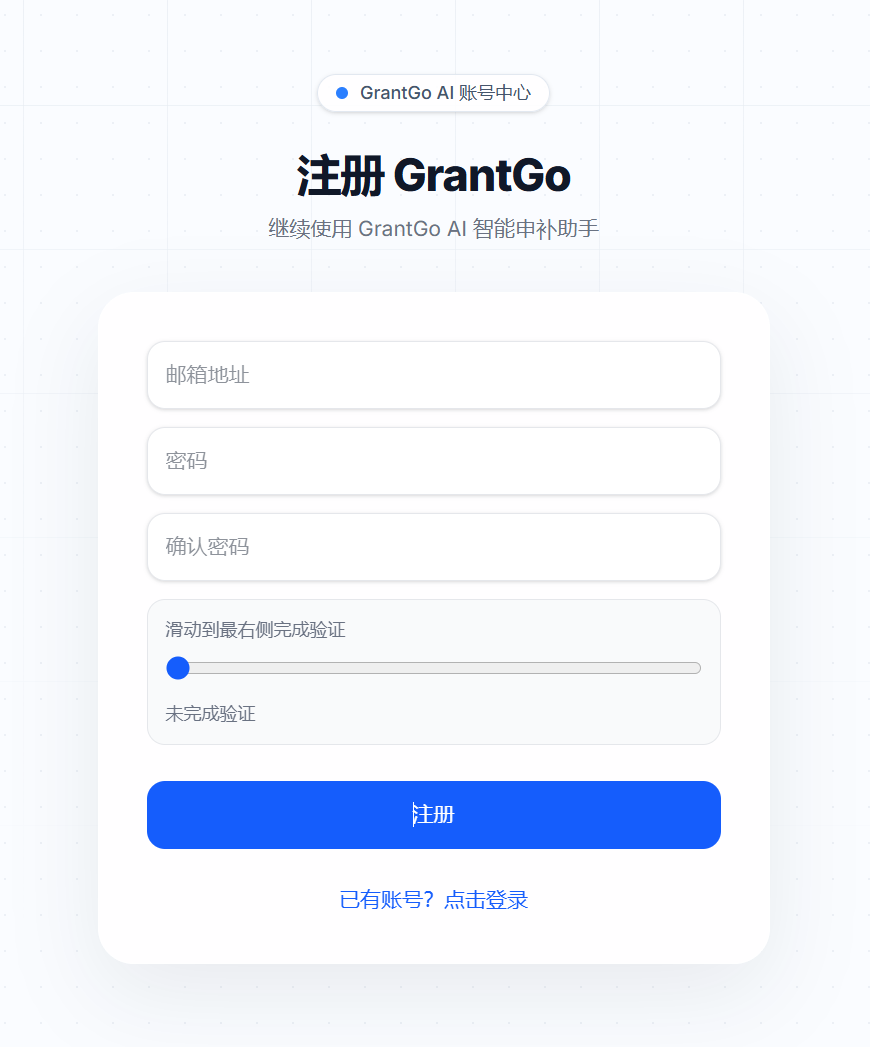
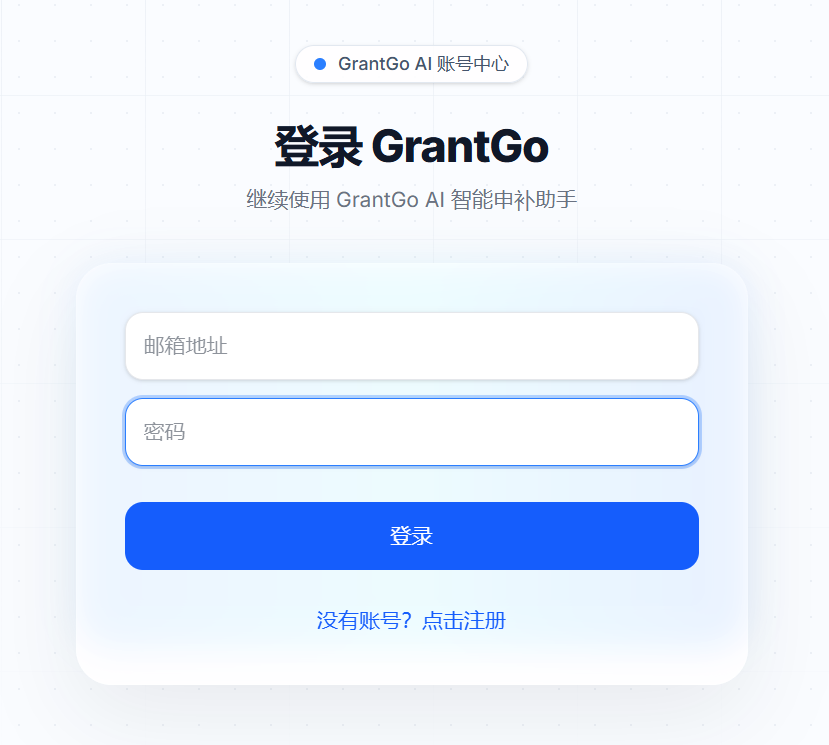
- On the homepage, click “Login” or “Free Trial” to enter the login page.
- New users can register and log in using Email + Password.
Profile Completion#
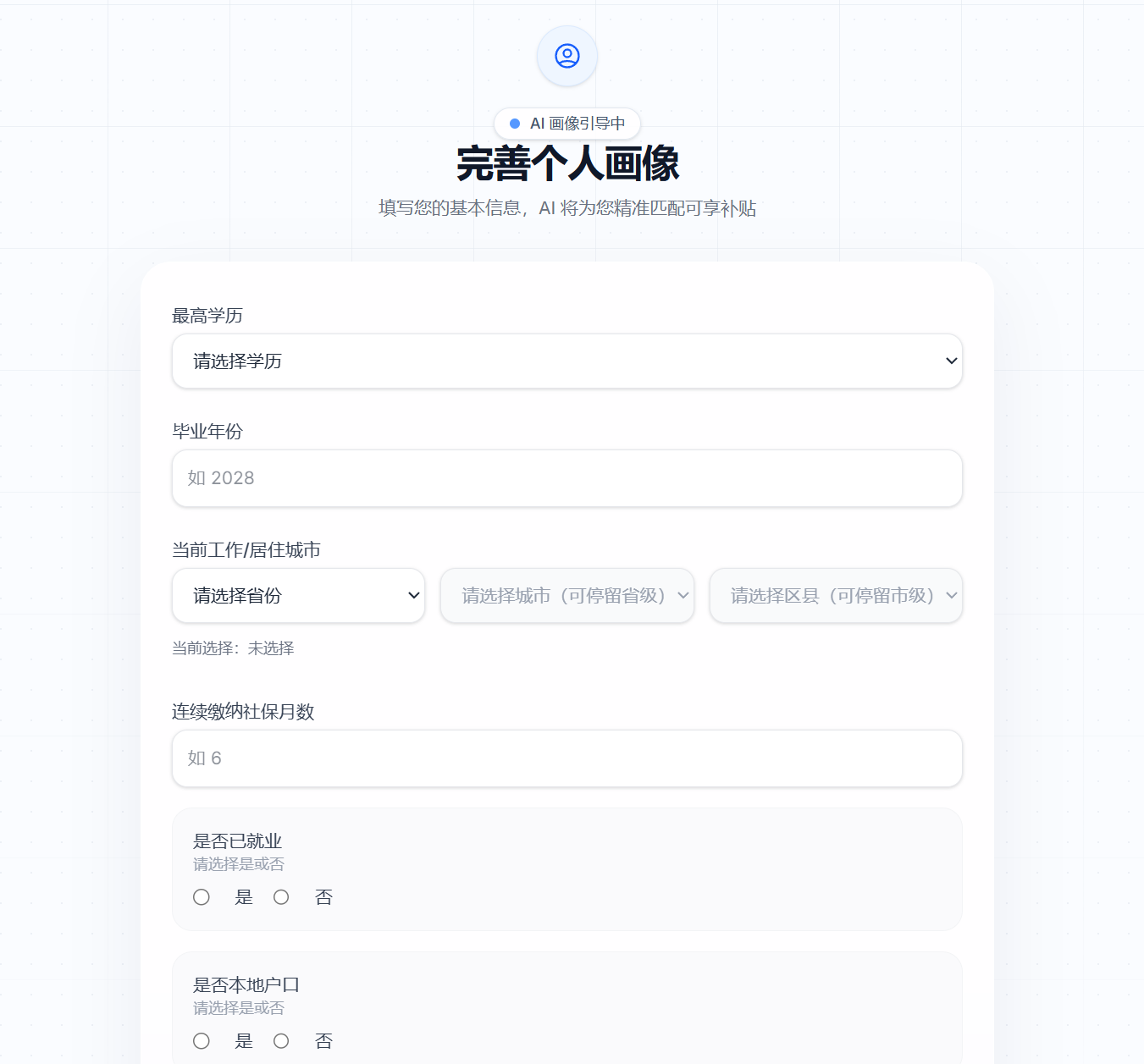
- Users need to complete their Personal Profile: Highest education, graduation year, current work/residence city, months of social security contribution, employment status, local residency, marital/parental status, entrepreneurial intent, and industry direction.
- City selection uses a three-level cascade (Province/City/District), with the option to stop at the provincial or municipal level.
- Click “Save and Start Matching” to enter the workspace, where the system automatically triggers the first profile matching.
Workspace#
- Left Sidebar History: View, switch, or delete conversations; supports “New Conversation”.
- Middle AI Chat: Interact with the AI to get subsidy matching suggestions, policy explanations, and answers to procedural questions.
- Right Sidebar PDF Parsing: Upload documents for intelligent pre-screening, displaying matching score, document checklists, and process progress.
- Top Bar: Collapsible sidebars to maximize reading space.
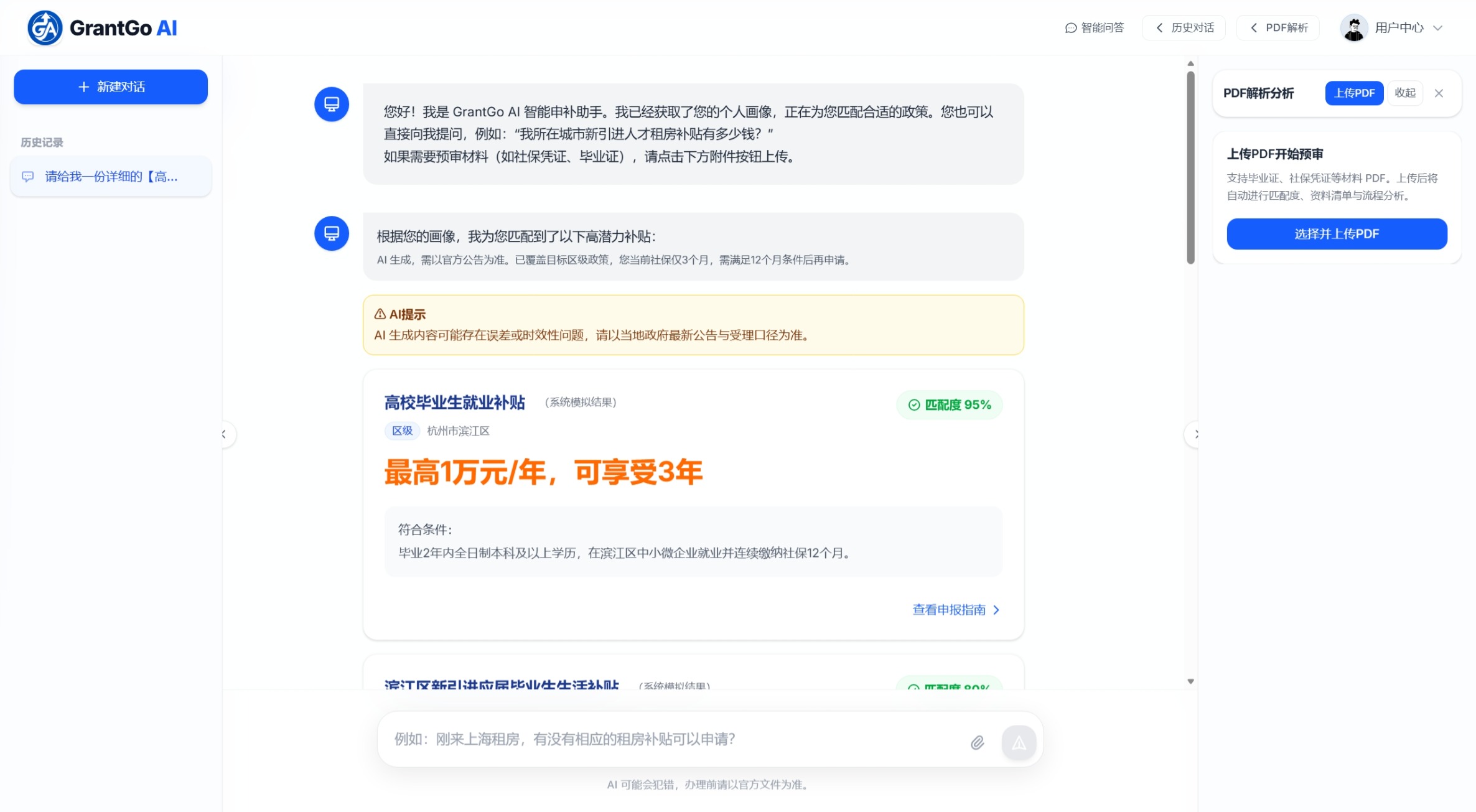
Intelligent Q&A#
- High-Match Subsidies
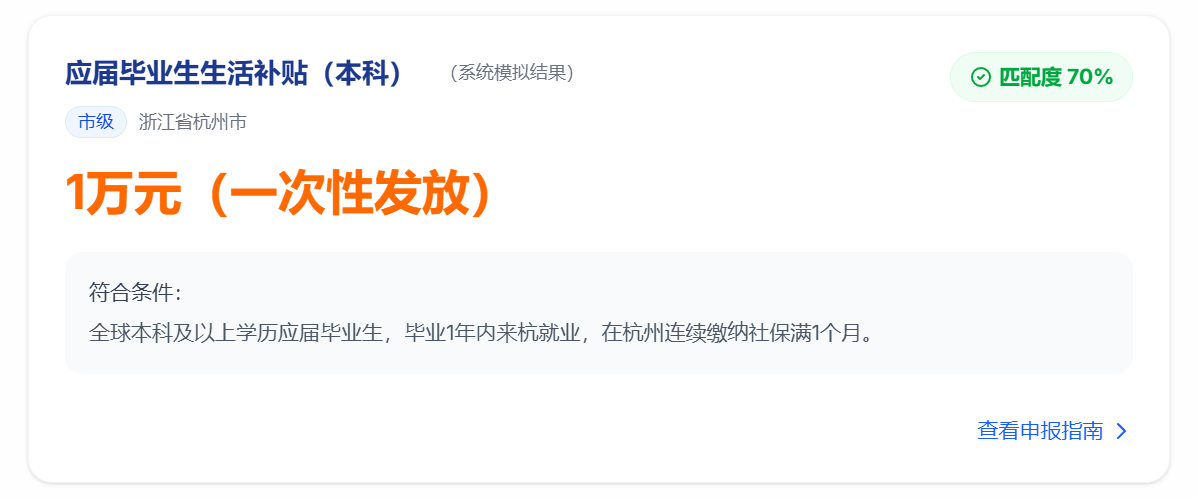
- The system returns high-match subsidy cards based on your personal profile.
- Each card displays: Subsidy name, applicable region, matching score, amount, and eligibility criteria.
- Click View Application Guide to generate detailed guidance for that specific subsidy.
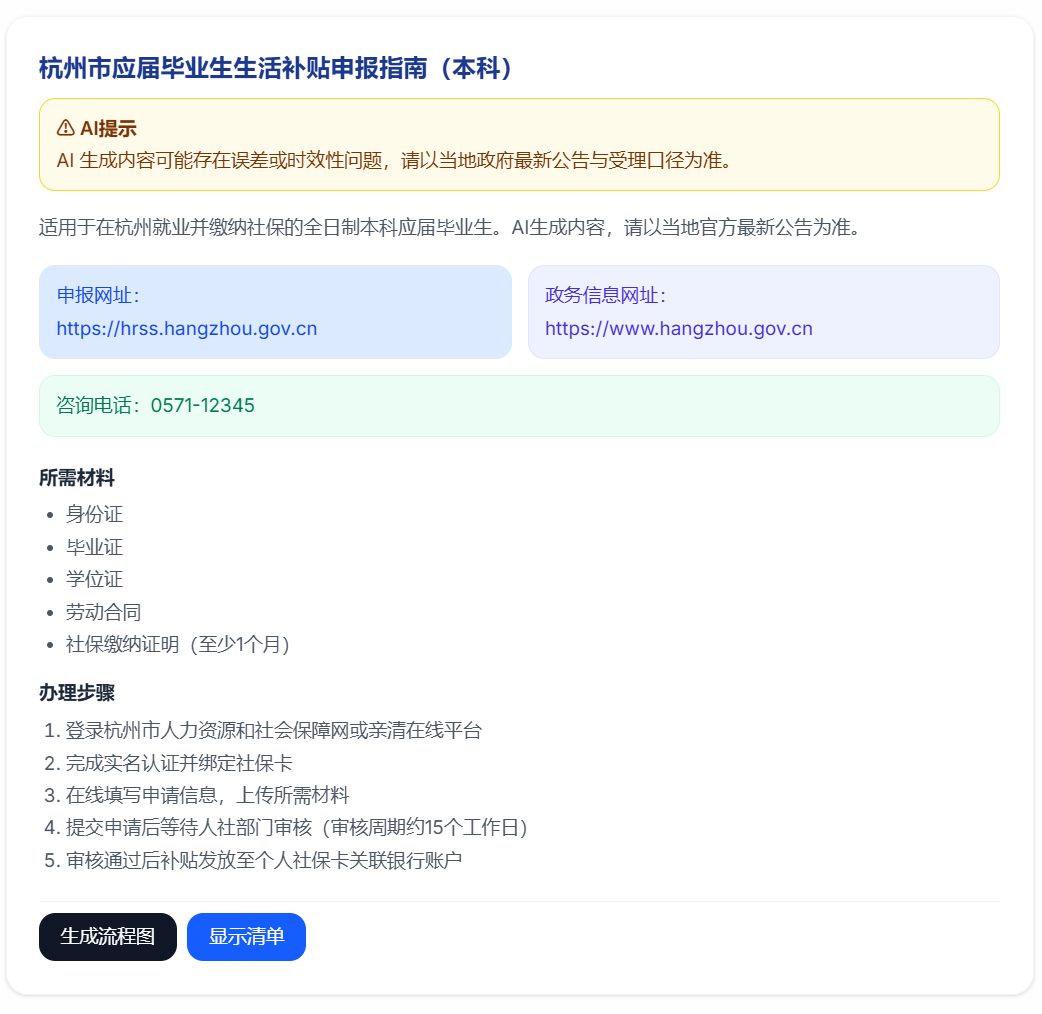
- Application Guide
- Includes a summary, application URL, official government links, consultation phone numbers, required documents, and step-by-step procedures.
- Click Generate Flowchart for a visual representation of the application path.
- Click Show Checklist to track your preparation progress.
Free Chat
- Ask any question at any time, and GrantGo will provide answers.
PDF Pre-screening
- Supports uploading PDF files (e.g., graduation certificates, social security records).
- After uploading, the system parses the file and shows real-time status: Uploading, Parsing, Completed, or Failed.
- Post-parsing results include: Matching percentage, document checklist status, and process timeline suggestions.
Technical Architecture#
- Frontend Application
- Core Framework: Vue 3 + Vite + TypeScript
- State Management: Pinia (Multi-session Chat management, user states)
- Routing: Vue Router
- UI & Styling: Tailwind CSS v4 + Custom geek-style design (Inter font)
- Key Libraries: markdown-it, mermaid, dompurify (Safe rendering)
- Business Backend (Go)
- Core Framework: Gin (Go 1.25)
- Database & ORM: PostgreSQL / SQLite + GORM
- Real-time Communication: Gorilla WebSocket (Streamed chat handling)
- Authentication: JWT-based Auth + CSRF protection
- Key Responsibilities: User authentication, profile data, region tools, backend data aggregation, WebSocket forwarding, security middleware, and rate limiting.
- AI Intelligent Service (Python)
- Core Framework: FastAPI + Uvicorn
- AI Core Libraries: LangChain, OpenAI API (Compatible with DeepSeek, etc.)
- Document & Vector Storage: PyMuPDF, ChromaDB, Redis
- Key Responsibilities: Pure LLM chat mode, System Prompt strategy control, formatted JSON card generation, RAG retrieval (Backup/Safety link), and PDF parsing.